

More items from this sellerView All
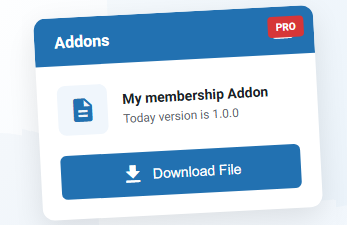
Download Box Pro – My membership addon
$15,00
My Membership
Allow customers to view their membership details in their WooCommerce account
My Membership addon creates a dedicated page in the WooCommerce “My Account” area where customers can view all their membership information at a glance. No more confusion about expiration dates, remaining downloads, or membership status – everything is clearly displayed in one beautiful dashboard.
👑 Best Seller
Download Box Pro - My membership addon
version
1.0.0
Changelog
Updated Date
27/01/2026
Developer
Dboxpro - Bedo Team
There is a problem?
Report
0 Downloads
Description
My Membership
Allow customers to view their membership details in their WooCommerce account
My Membership addon creates a dedicated page in the WooCommerce “My Account” area where customers can view all their membership information at a glance. No more confusion about expiration dates, remaining downloads, or membership status – everything is clearly displayed in one beautiful dashboard.
What It Does
📊
Membership Overview
Displays membership details: product name, purchase date, type, and status.
⏰ Expiration Tracking
Shows expiration date with countdown for time-based memberships.
📥 Download Quota
Visual progress bar showing used vs. remaining downloads.
⚠️ Smart Alerts
Automatic warnings for expiring memberships or low quota.
📜 Download History
planned for the next update
✓ Status Badges
Clear visual indicators: Active, Expired, or Lifetime.
Smart Alert System
Automatic alerts appear at the top of the membership page:
🔴 Membership ExpiredYour membership has expired. Please contact us to renew your membership.
🟠 Expiring SoonYour membership expires soon! Only 3 days remaining.
🟠 Low Download QuotaYour download quota is running low! Only 5 download(s) remaining.
Installation
- Upload the AddonUpload the addon ZIP file via WordPress admin or FTP to
/wp-content/plugins/ - ActivateGo to Plugins → Installed Plugins and activate “My Membership Addon”
- Flush PermalinksGo to Settings → Permalinks and click “Save Changes” to register the new endpoint
- Done!The “My Membership” menu item now appears in WooCommerce My Account
⚠️ Important: Flush PermalinksAfter activating the addon, you MUST go to Settings → Permalinks and click “Save Changes”. This registers the new endpoint. Without this step, you’ll get a 404 error!
More documentation can be read here
0.0 Average Rating Rated (0 Reviews)